How to Set Trailer Brake Controller Gain for Your Load
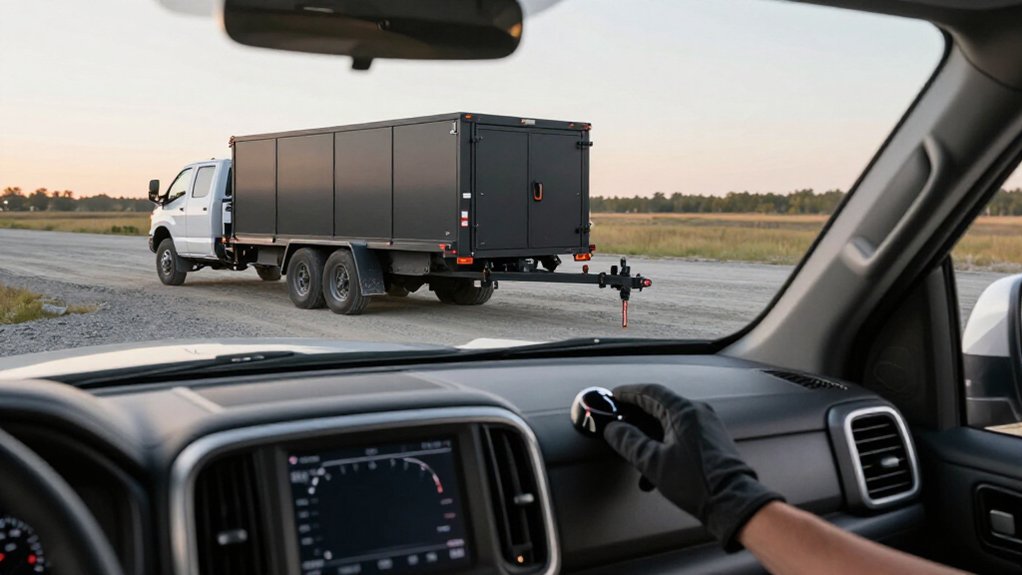
Set trailer brake gain for its current load, starting near 40% Forward Response.
Secure cargo low over or near the axle, then pair the Elecbrakes app and confirm connection.
Choose a quiet, level area and test at 20–30 km/h with stops.
Release the parking brake before moving.
If the trailer pushes, increase gain; if braking grabs or feels harsh, reduce it.
Recheck at the speed and pressure.
Record your setting; checks help keep stops smooth and stable.
Trailer Stopping Feel, Load-Specific
Calibrate trailer brake gain for the load you’re carrying: start around 40% Forward Response and make a few gentle stops from 20–30 km/h, checking whether the trailer feels pushy or grabby.
For a light load, reduce gain slightly; the trailer needs less braking force. If braking feels sharp or twitchy, or the brakes lock early, lower Forward Response one step. With a fully loaded trailer, raise gain to match the tow vehicle’s braking effort.
If the trailer pushes forward or your brakes feel overworked, increase Forward Response slightly. Adjust in small increments, repeating a gentle stop and then a firmer stop. Aim for smooth, straight, shared braking, with the trailer coming in line without jerks. Correct load-specific feel should remain calm and predictable overall.
Choose a Quiet Test Road
Before adjusting gain, choose a quiet, flat, low-traffic area, such as an empty carpark or a wide service road outside peak hours. This gives you room to repeat stops safely and compare how trailer braking responds as you make small gain changes. Begin near 20–30 km/h, where feedback stays consistent. Choose an open stretch that lets you brake gently, then make a firmer stop without rushing.
- Keep clear of traffic; don’t use busy roads for early tests.
- Avoid steep hills, where grade can distort braking feel.
- Skip wet grass or gravel; variable traction can disguise grabby or pushy braking.
- Leave enough open space to stop smoothly and reset between runs.
Make each stop under similar conditions, changing gain only after you’ve assessed the previous result. Repeat only under consistent conditions; pause if traffic or surface conditions change before continuing.
Step 1: Secure Loose Trailer Cargo
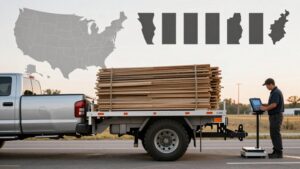
Secure loose cargo before setting trailer brake gain; shifting weight can make braking feel grabby or pushy even when the controller setting hasn’t changed. Place heavy items low and over or near the axle area to keep the trailer’s braking demand consistent through each stop. Tie down boxes, fuel cans, and tools so they can’t slide under braking.
If you move or remove cargo, secure it again and recheck gain; a lighter load usually needs less braking force for smooth stops. Test at 20–30 km/h with a gentle application, then brake more firmly. Adjust gain in small steps until the trailer brakes straight and shares the stop without twitching. Repeat the sequence whenever load placement changes, and confirm cargo remains restrained before every trip.
Step 2: Pair the Elecbrakes App
Once the cargo is secured, install and pair the Elecbrakes app with your brake controller, then confirm the connection in the app.
Use Program 1’s default Forward Response of 40% as your baseline before driving. The app lets you adjust braking settings from your phone, so keep the connection active while configuring the controller.
If the trailer feels pushy during braking, increase Forward Response in small steps. If braking feels grabby or harsh, decrease it gradually.
You can also fine-tune Minimum % for low-speed control, Reverse % for reversing, and Manual Override for trailer-only braking. Change one setting at a time and record each value, so you can identify its effect and restore the baseline if needed. Don’t alter settings while towing in traffic.
Step 3: Make a Gentle Stop
On a quiet, flat spot, start with mid-range gain, about 40% or “5” on many controllers, and make a gentle stop from 20–30 km/h. Keep your speed and your path straight, with ample clear space ahead and no traffic. Apply the tow vehicle’s brakes smoothly; avoid an pedal input.
Notice whether the trailer slows in step with the tow vehicle or feels grabby, delayed, or pushy. A sharp, jerky trailer response means gain may be too high; lower it slightly. If the trailer seems to push the tow vehicle or responds late, raise gain slightly.
Make small changes between runs, then assess the next gentle stop. Aim for straight, shared braking, with the trailer slowing smoothly and without twitching. Stop and reassess if control feels uncertain.
Step 4: Test Braking at 30 Km/H
How should you test braking at 30 km/h? Choose a quiet, flat road or large, empty carpark, and begin at about 20–30 km/h. Set Forward Response or gain near the middle of its range; on Elecbrakes, about 40% is a useful starting point. Keep your speed controlled and leave ample clear space.
Make one gentle stop, then a firmer stop; avoid panic braking.
If trailer braking feels grabby or jerky, lower Forward Response slightly. Make adjustments in small increments and repeat both stops until braking feels straight, smooth, and shared, not twitchy.
Repeat this test whenever your load changes: a light trailer usually needs less gain, while a fully loaded trailer usually needs more to match braking at the same speed of about 30 km/h.
Step 5: Watch for Trailer Push
During the 20–30 km/h brake test, watch for the trailer pushing the tow vehicle forward; this usually means brake gain or Forward Response is too low.
At 20–30 km/h, begin near 40% gain, or setting “5” if your controller uses that scale. Increase Forward Response in small steps, then repeat the test. An increase should reduce the push.
Don’t make a large change; too much gain can cause grabby or jerky braking and reduce control.
A light trailer may brake smoothly at this setting, while a fully loaded trailer may still push under heavier braking because it needs more braking effort. After each adjustment, make a gentle stop followed by a firmer stop. Confirm the braking feels smooth and shared, with no forward shove.
Step 6: Confirm Park Brake Is Set
Before testing brake gain, evaluating brake gain, confirm the caravan’s park brake holds the wheels when applied, then release it fully; a partly engaged brake can make braking feel grabby or stronger than it is.
With the trailer stationary, apply the park brake and verify that it holds the wheels before you begin. Then return the lever or switch completely to OFF. Conduct gain testing with the park brake released, since even slight engagement can cause jerky stops and make braking seem more powerful than the controller setting provides.
After each gain adjustment, check that the lever or switch remains fully OFF before your next low-speed stop. Set the park brake only for this stationary hold check, never while assessing braking feel on the road.
Note Your Final Gain
Once your final 20–30 km/h test runs produce smooth, straight stops with braking shared between the tow vehicle and trailer, record the exact Forward Response (gain) percentage.
If you adjusted gain, note each small, step-by-step change, usually a few percentage points, and the braking symptom that guided it: a pushy trailer indicated too little gain, while grabby or harsh braking indicated too much.
Confirm the final setting stops the combination smoothly and straight, with the trailer neither pushing the tow vehicle during firmer braking nor taking an abrupt share of braking. Record any Minimum %, Reverse %, or Override % values you used, too. Keep these figures with your towing notes so you can reproduce the tested braking response and verify settings before a later trip. Do this consistently.
Adjust Gain for Light Loads
After recording a setting that works for your tested load, adjust gain for lighter loads rather than assuming the same setting will suit them.
For a light trailer, start near mid-range: ~40% Forward Response or “5” on a 1–10 scale. Make small adjustments only. Test at 20–30 km/h, first with gentle stops, then firmer ones in a safe area.
| Cue | Adjustment |
|---|---|
| Grabby braking | Reduce Forward Response slightly |
| Pushy trailer | Increase Forward Response slightly |
| Smooth, straight slowing | Keep the setting |
| Wheel lock or surge | Stop and reassess |
Expect less gain than with a fully loaded trailer. If braking feels twitchy or harsh, reduce gain; if it feels slow to decelerate, increase it slightly.
Aim for steady, shared braking without abrupt engagement, wheel lock, or forward surge. Recheck after each change at the same speed and with comparable stop pressure. Keep adjustments incremental: light loads respond quickly, and excess gain can make braking unstable or dangerously abrupt.
Inspect Trailer Brake Wiring
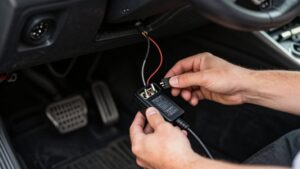
Inspect the trailer brake wiring before adjusting gain, since damaged connections can cause weak, uneven, or intermittent braking and make settings misleading. Check for damaged wires, loose connectors, and corroded terminals, especially at the brake assemblies and near the hitch.
Confirm the ground return has a secure, clean metal-to-metal connection or a proper ground wire. Inspect the harness for stretched or chafed sections that rub on the frame; repair or replace worn insulation before testing.
Use a multimeter to verify continuity from the controller output to each brake circuit and each magnet or actuator; an open circuit needs correction. Make sure the controller’s trailer plug is fully seated and its pins fit tightly. Resistance or misalignment distorts braking response, so correct faults before adjusting gain.
Conclusion
Set trailer brake gain for the load you’re towing, then verify the stopping feel in a safe, quiet area. Secure cargo, pair the Elecbrakes app, and make a gentle stop with the park brake set as directed.
Record the final gain, and reduce it when you tow a lighter load. If braking feels uneven or weak, don’t compensate with gain alone; inspect the trailer brake wiring and connections before continuing. Recheck settings whenever your load changes.